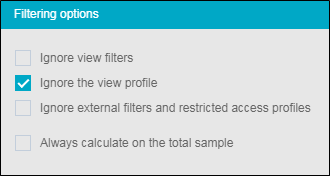
Filtering options
The Filtering options let you ignore filters, profiles, and restricted access for an analysis. To do this:
-
Select an analysis.
-
In the Advanced tab, Calculation category, next to Filter Options, click on
 .. A new window opens where you have to check the elements to ignore.
You can:
-
Ignore view filters;
-
Ignore the view profile;
-
Ignore external filters and restricted access profiles;
-
Always calculate on the total sample.