Embed a question in the message
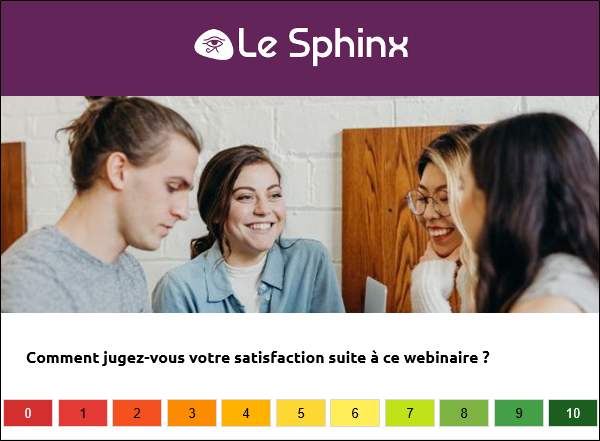
You can embed a question directly in the body of an email.
When a respondent clicks an answer choice, the corresponding response is automatically selected in the survey.
NOTE: This feature is only available in the MJML email editor.
To do this:
-
Go to the MJML message editing environment.
-
Drag and drop the Integrated question element from the Custom links section.

-
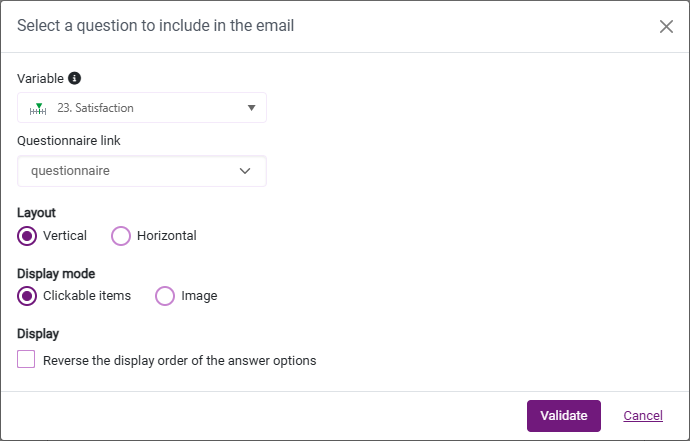
Select the variable and the questionnaire link to use.
-
Choose the layout of the question answer choices: Vertical or Horizontal.
-
Select the display mode: Clickable items or Image.
NOTE: If the answer choices of the variable (step 3) are associated with images in the questionnaire, they will be automatically embedded in the message. Otherwise, you will need to add the images manually to the email.
-
(Optional) To reverse the display order of the answer choices, select the Reverse the display order of the answer options option.
-
Click Confirm.
The variable is inserted into the body of the email with its answer choices.
Each answer choice inserted into the message can be edited independently.
You can:
-
Change the text.
-
Adjust the color.
-
Adjust the alignment.
-
Change the image.
-