Calculate a variable using AI
Thanks to artificial intelligence, you can easily add a new variable to your dataset. Write your requirements and constraints in a text box, and the AI will process your prompt to generate a new variable.
You can use this AI feature:
-
From the Datavisualization environment in the Analysis section;
-
Select the Calculate a variable by AI option.
 First time user? Accept the AI terms of use
Acceptance of the general conditions specific to AI assistants is required.
-
Read the specific terms and conditions for AI Assistants carefully.
-
Check the following box:
-
"I acknowledge that I have accepted without reservation the ‘AI Assistant’ addendum displayed above and I declare that I am the legal representative of the holder of this account or have the authority to represent them validly and that I accept liability in the event of any false declaration".
-
-
Click on the I accept button.
-
-
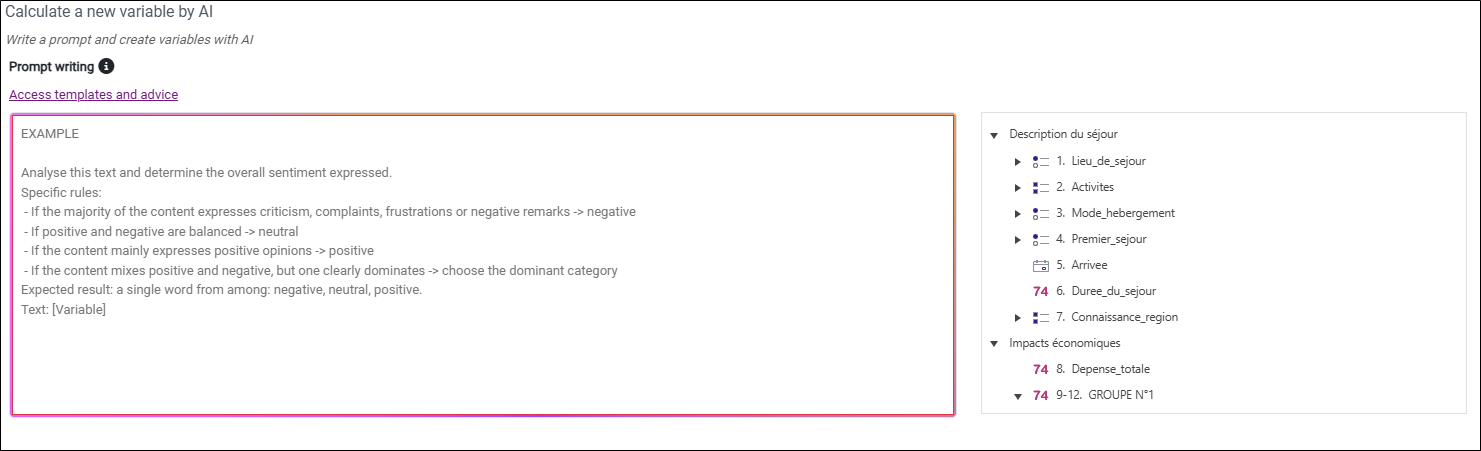
Write your prompt in the provided area, choosing the variables to be used.
A few tips:
-
You can double-click on a variable in the list of variables on the right to add it to your calculation formula.
NOTE: To help you write your prompt, a dedicated page provides you with predefined templates and practical tips.
-
-
Click Next.
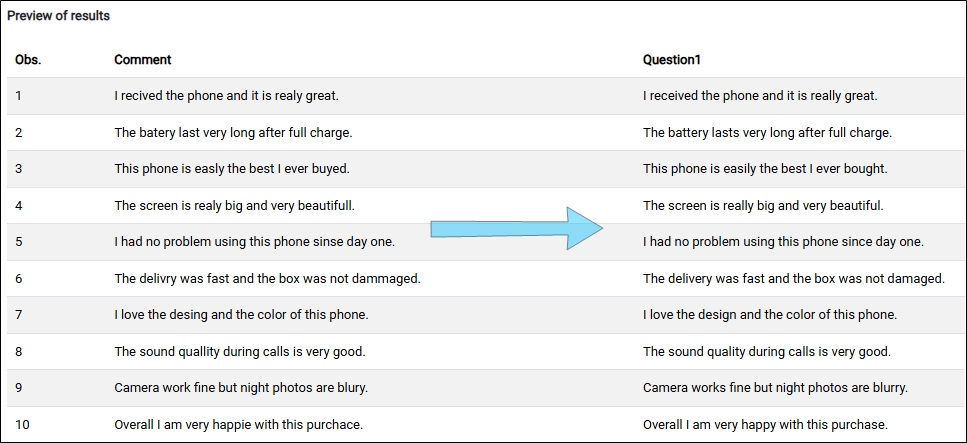
You will see a preview of your variable.
EXAMPLE: Spell-check of a text variable:
NOTE: Generating a preview of the results does not deduct AI tokens from your account.
-
Click Next.
-
Configure the variable to be created by entering its name (label) and type (numerical, text, code, etc.).
-
(Optional) Select the Automatic variable check box so that the calculation is executed for any observation added or modified after the creation of the calculated variable.
-
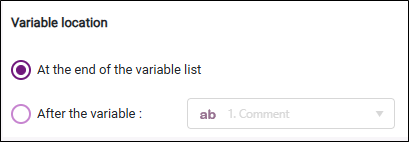
Choose where to insert the new variable.
-
Click Finish.
Your AI-calculated variable is created.