Release Notes 5.2.12 (OCTOBER 2026)
General
-
AI token usage monitoring: AI token usage information is now available from the user menu.
-
Personal, centralized image library: Save, search, organize, and reuse account images from a personal gallery available in analysis views and the email editor.
-
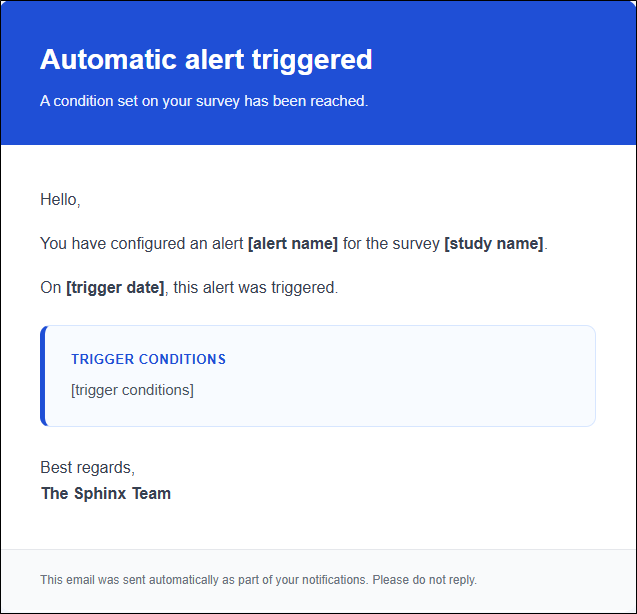
New automated alert template: A modernized, multilingual default email template is now available, along with improved code formatting in the editor.
Design
-
Voice dictation for text questions: Allow respondents to dictate their answer to an open-ended question in supported browsers without recording the audio file.

Distribution and collection
-
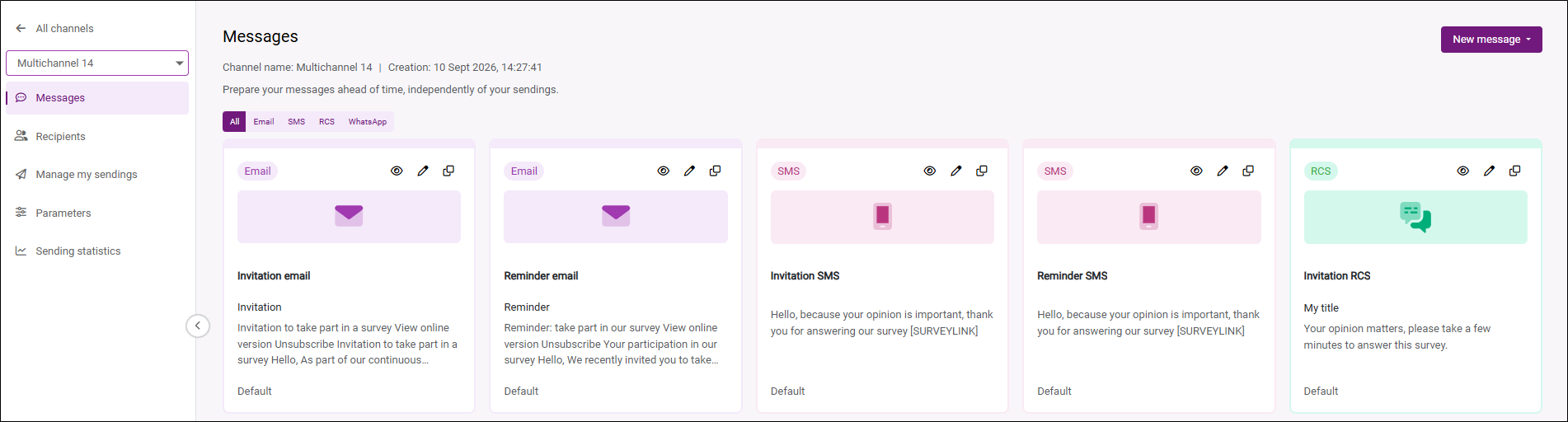
Simplified message and send management: A new library centralizes email, SMS, and RCS messages, making it easy to find, reuse, or duplicate them to create new variants. Creating channels and sends is also simpler. Any changes made to a message are automatically applied to pending sends, while completed sends retain a copy of the message that was delivered.
-
New multichannel distribution experience: Distribution now brings email, SMS, RCS, and WhatsApp channels together in a consistent experience. The channels displayed are automatically tailored to the account’s permissions and options.
-
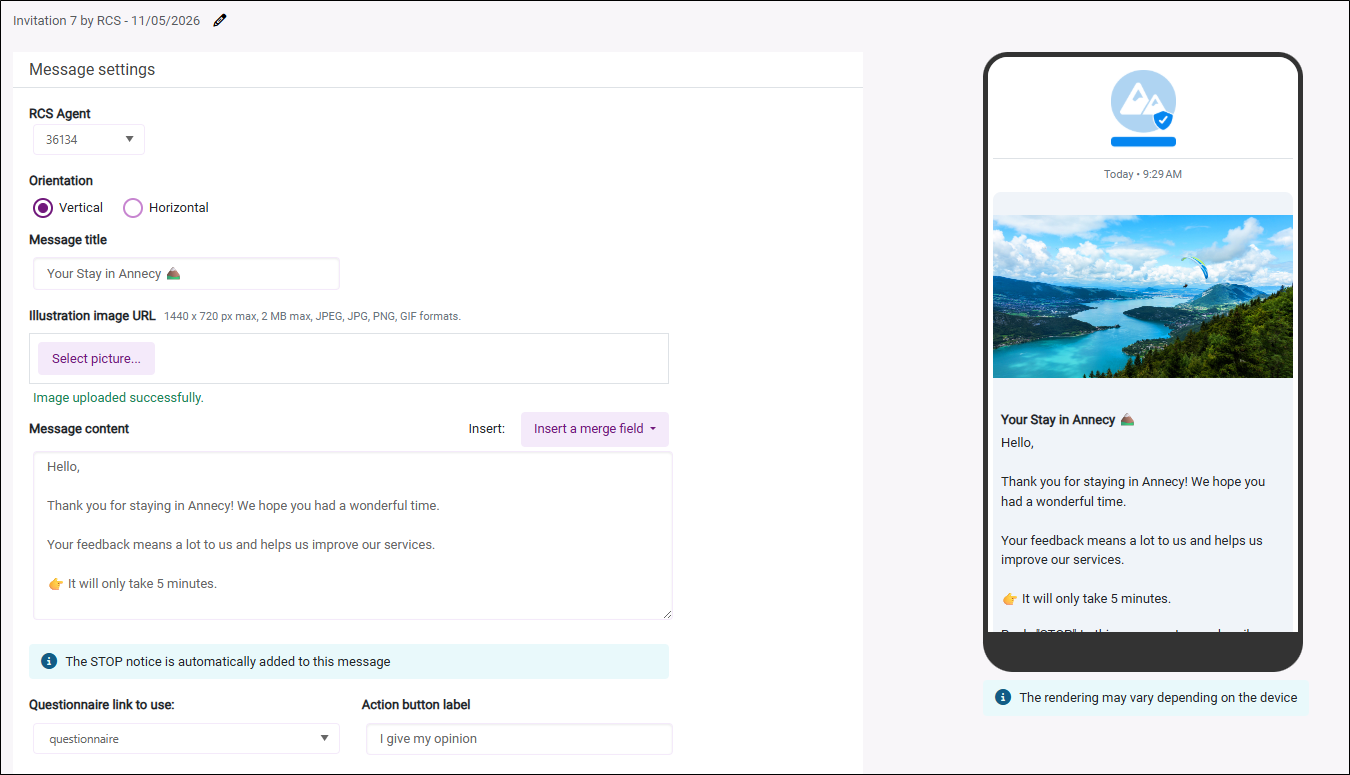
RCS: Send invitations and reminders as rich messages that can include a title, text, an image, and a call-to-action button.
The channel also includes:
-
automatic number compatibility checks before each send;
-
tracking of successfully sent messages, errors, and incompatible devices or carriers;
-
a modernized message editor and preview;
-
automatic addition of the STOP opt-out notice and confirmation after a recipient unsubscribes;
-
automatic fallback to SMS when the recipient’s device does not support RCS.
-
-
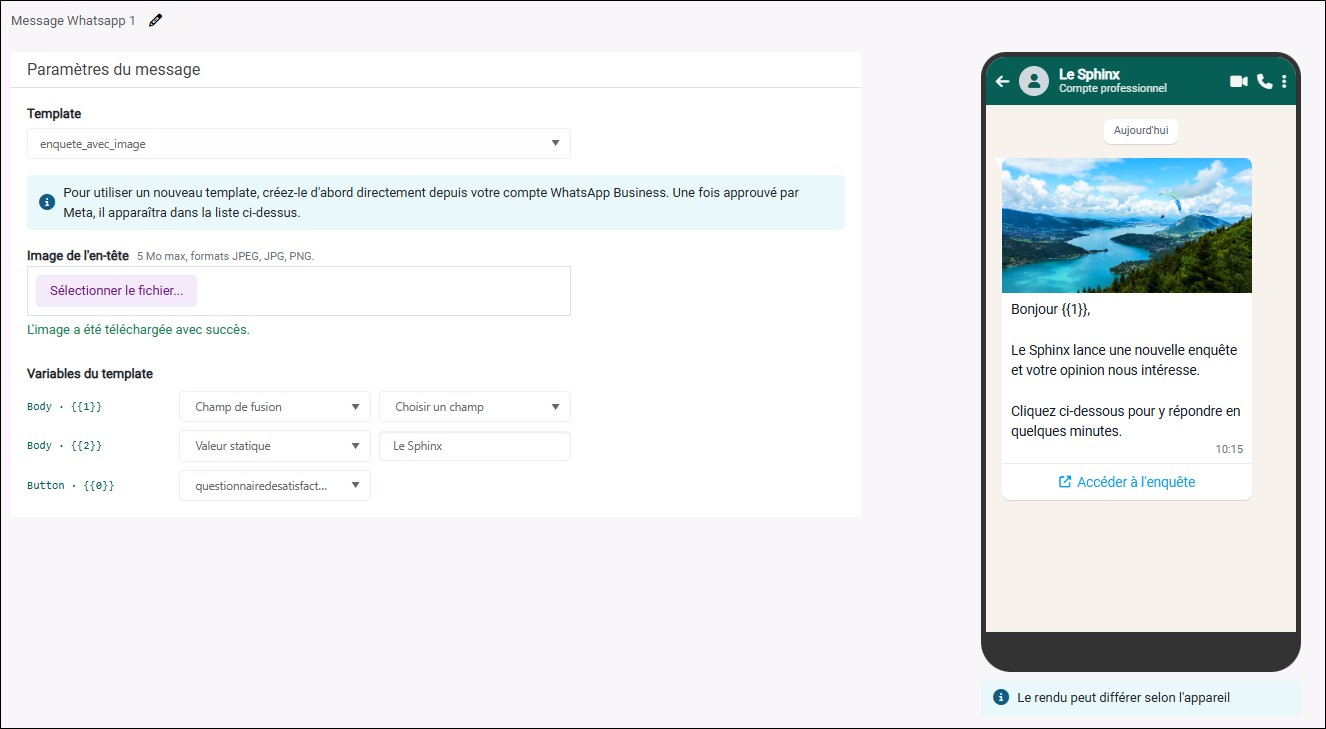
WhatsApp: Send outbound messages using Meta-approved templates, map variables to merge fields or the survey link, and track the status of each recipient.
-
-
Link expiration management:
-
Define an individual response window calculated from the send date for email, SMS, RCS, or WhatsApp campaigns.
-
Define a fixed end date for direct links and QR codes.
-
Choose what happens when a link expires: display the default message, display a custom message, or redirect respondents to another Sphinx form.
-
-
Improved conversion of email campaigns from the previous version of SphinxOnline: Conversion of legacy email campaigns has been optimized to better preserve their width, alignment, text, and layout while reducing the need for manual corrections after migration.
-
More accurate test sends: Test emails now use the actual subject line, sender name, and sender address, making it possible to verify how the message will appear before distribution.
-
Clearer, more responsive send tracking: The sends list and tracking page have been reorganized to bring statistics and actions together, provide easier access to editing, and allow the recipient list to be refreshed manually.
Data
-
Create and manage data connectors: Create and modify Partoo connectors or code file generation connectors from a dedicated interface.
-
Google review collection: A new Google Reviews connector automatically retrieves an establishment's latest reviews in a Sphinx survey, including ratings, comments, authors, dates, and associated responses.
-
Automated personal data cleanup: A new interface makes it possible to create and manage multiple GDPR cleanup rules for each survey. These rules can be run manually or automatically when a request to lift anonymity is declined or when a retention period expires, including for responses that have already been recorded. Rules are retained when projects are duplicated, backed up, or restored, and detailed processing logs are available.
Analysis
-
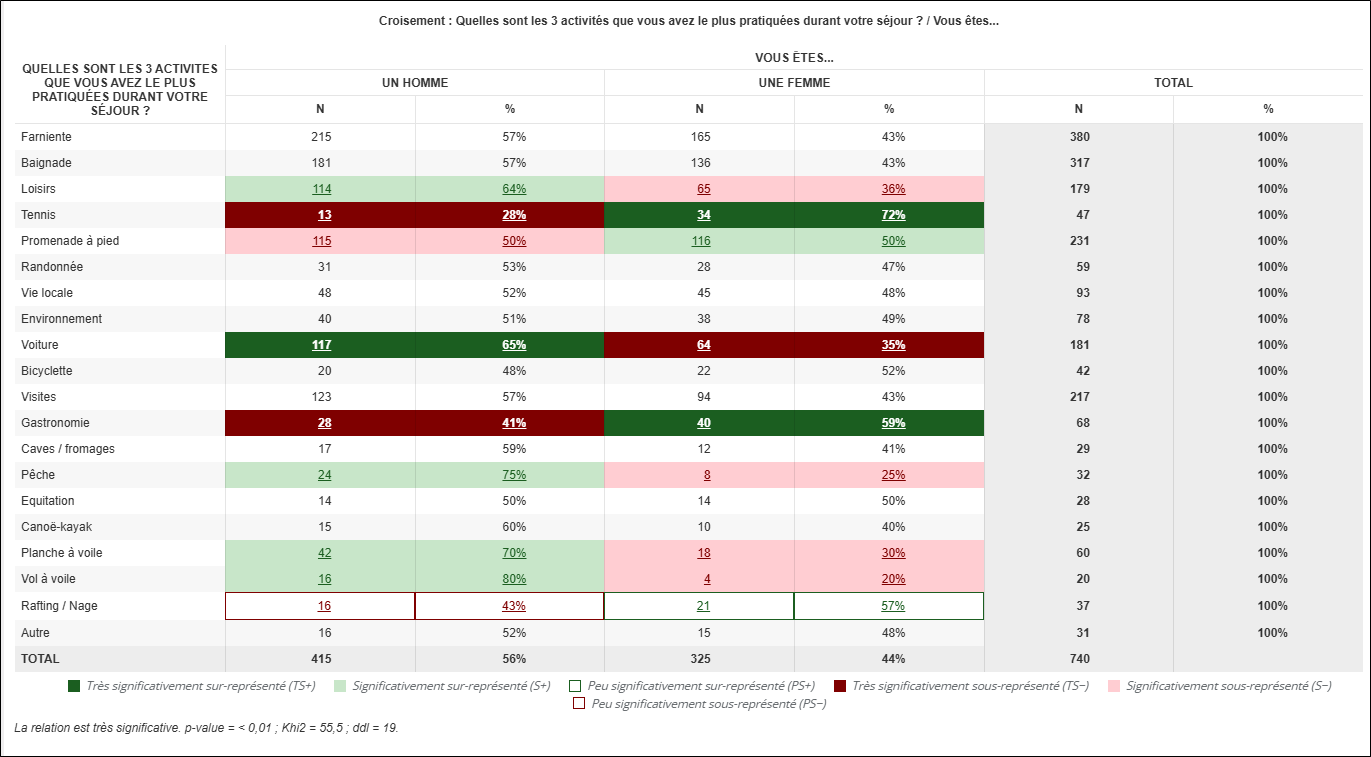
Cross-tab generator for Excel: Generate a view containing cross-tabs in a format that can be used directly in Excel, with selection of the cross variable and support for analysis options.
-
Variable selection in table generators: Select precisely which variables to include in frequency tables, cross-tabs, and tabulation books, with options to select all variables or select them by questionnaire section.
-
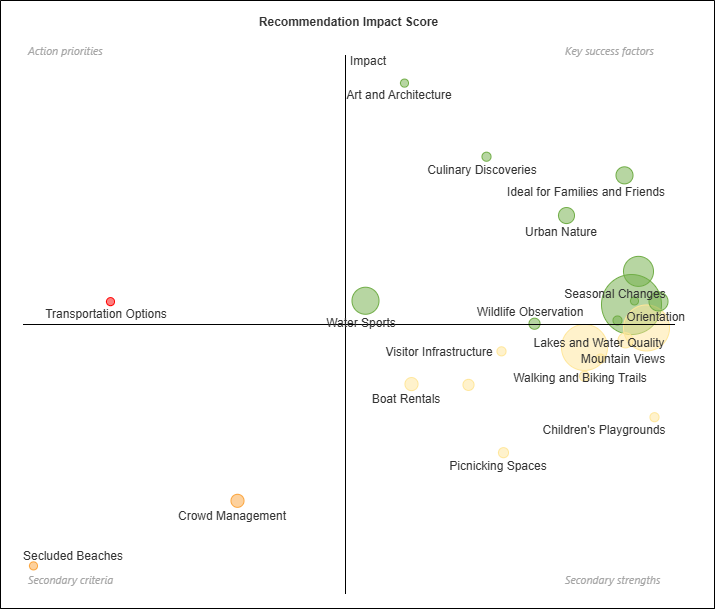
New Recommendation Impact Score matrix: Create an analysis that cross-references themes identified through coding with a satisfaction score to identify priority drivers. Themes can be filtered by a minimum response count, and shared orientations can be adjusted using a satisfaction scale.
-
Ability to add header rows, title rows, and merge cells in a custom table.
-
Detailed display of significance levels: A new display style distinguishes highly significant, significant, and less significant results while preserving the direction of differences and their presentation in exports.
-
Global statistical test display settings: Define in the view properties whether statistical tests are displayed by default in cross-tabs while preserving the custom settings of each analysis.
-
Category subtotals: Add a summary row or column for each category in compatible tables to make groupings easier to read.
-
Customizable filter width: Adjust the width of drop-down lists in view filters to improve the readability of long labels.
Campus
-
Multilingual learning content update: Campus courses, materials, demonstrations, and case studies have been updated, with content available in French or English based on the interface language.
Administration
-
RCS credit tracking: View purchased, remaining, and used credits, along with their history and changes over time, in the administration area.
-
Automated account management: A secure administration API using personal access tokens is now available to view, create, and manage accounts, users, and credits according to the administrator's access level.