CREATE A STUDY BY COPY-PASTING QUESTIONS
This feature lets you create a new study by copying and pasting questions in text format.
To do so:
-
Click the Create Study button from the Home screen.
-
Click on COPY AND PASTE QUESTIONS.
Expected question format:
-
Paste each question label on one line.
Questions with only a label will be considered open-ended, unless their type is specified in the variable name (see the point on variable type below).
-
Add modalities below the label, separating them with a line break.
-
Separate each question (with or without modalities) with an empty line by pressing the Enter key twice.
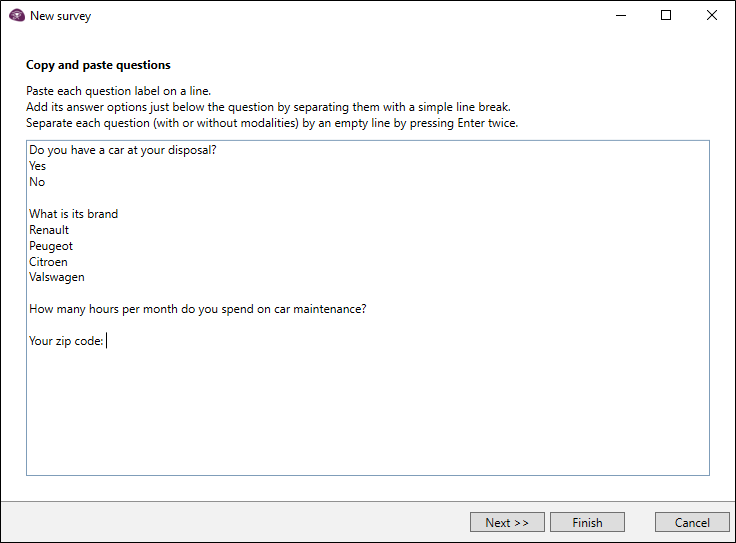
CopyEXAMPLEDo you have a car at your disposal?
Yes
No
What make is it?
Renault
Peugeot
Citroën
Volkswagen
Your zip code :
Additional options:
-
Add an * at the beginning of a label to make the response mandatory.
-
Define a variable name by writing it below the question label, in [VariableName] format.
Spaces in variable names are transformed into underscore _.
EXAMPLE: [Satisfaction Note] will become Satisfaction_Note.
-
Specify variable type by adding “$num” (for a numeric variable) or “$date” (for a date variable) to the end of its name.
-
Add an instruction by framing it with ****.
Example of instruction: **Several answers possible**.
CopyEXAMPLEWhat are your hobbies?
[hobbies]
**Several answers possible**
Reading
Music
Video games
Sports
-
-
Import the questions by copying and pasting them into the box provided.
-
Click on Next then give a title to the study, choose the language, etc.
-
Click on Finishto validate.
After creating your study, proceed to the design and setup of your questionnaire. More details in the Questionnaire section.
Import questions by copying and pasting them into a survey
You can import questions at any time by copying and pasting them into an existing survey:
-
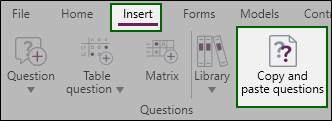
From the Questionnaire Design environment, click on the Insert tab.
-
Click on Copy and paste questions.
-
Copy and paste your questions in the appropriate area.
-
Click on Finish to validate.