Consult and print an observation
Each observation (questionnaire answer) can be viewed individually and printed along with the respondent’s answers.
View an observation
-
Go to the Data stage of your survey and click on the Consultation tab in the left-hand menu.
-
The view page opens and displays responses one by one, with the option to navigate between them using the record number or the value of a variable from your study.
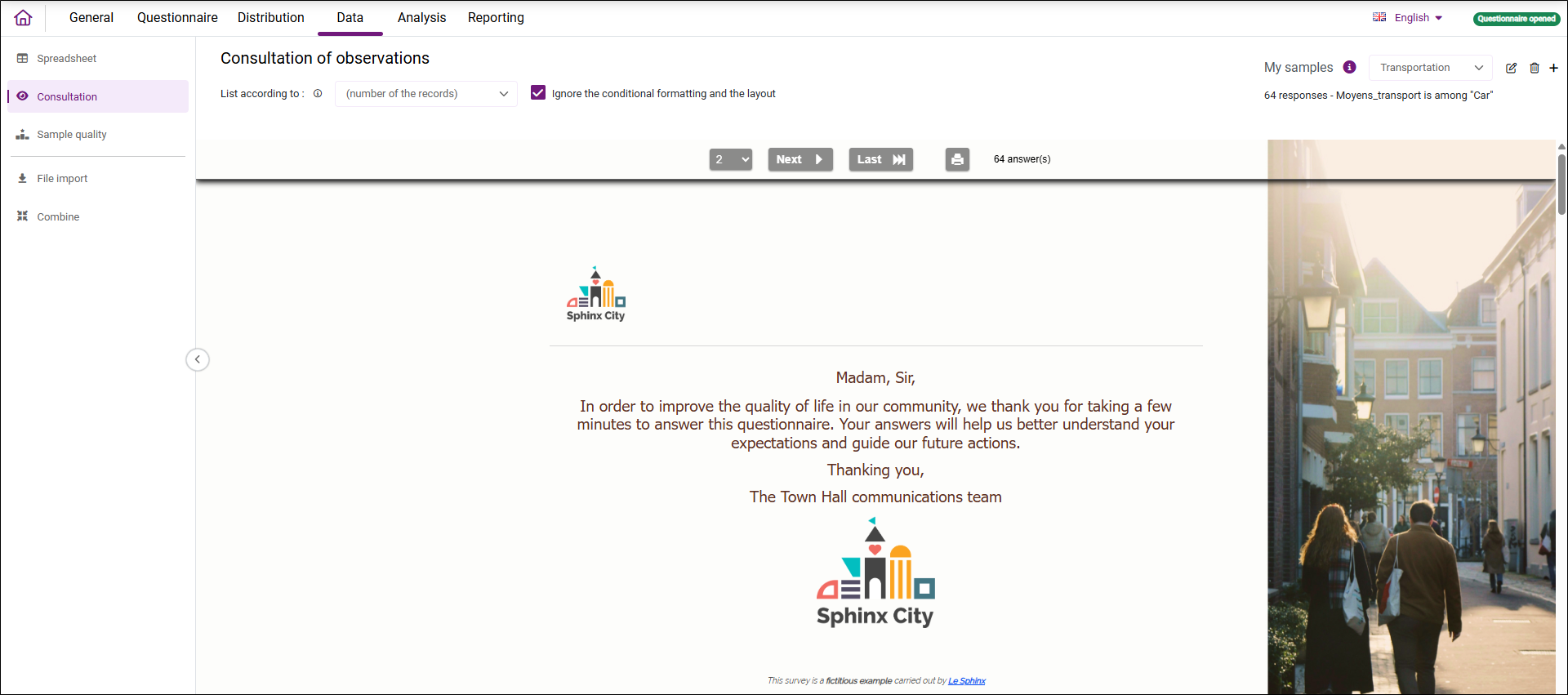
You can choose to ignore display conditions and formatting by checking the corresponding option.
It is also possible to filter the list of responses to view based on a stratum defined at the top right of the screen. Learn more about strata definition.
Print an observation
-
Display the relevant observation.
-
Click the print icon
 to download the PDF file for printing.